


GPS Live Tracker: Locate Phone
3.87.00 Reviews
App Specs
- Version
- 0.1.5
- Updated On
- License
- Free
- Downloads
- 500,000+
- Developer
- African Humanitarian Relief Aid
- Categories
- Maps & Navigation
- Platform
- Android
Screenshots
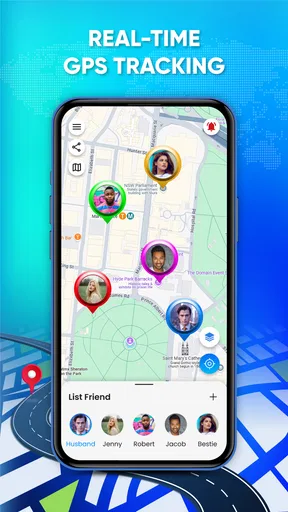
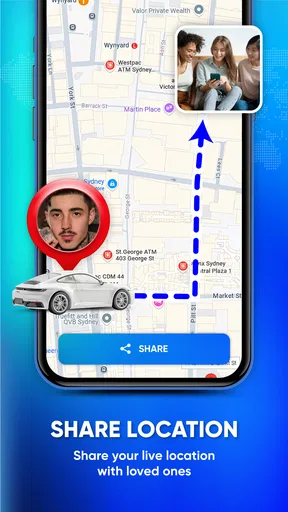
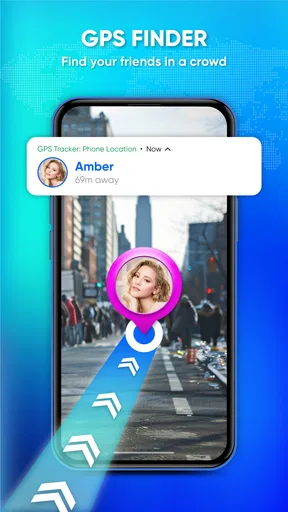
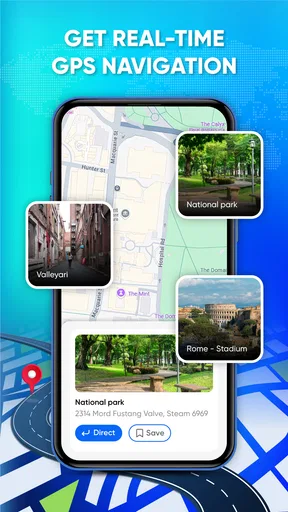
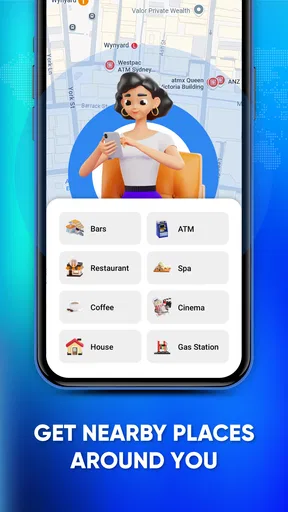
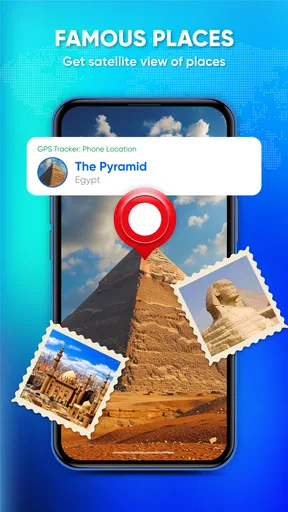
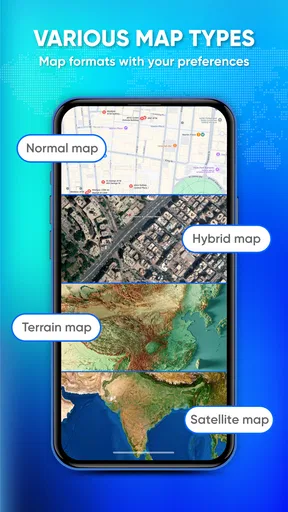
 Analysis by AppCompare
Finding a phone or keeping an eye on a moving device sounds simple until a real situation makes every extra step feel important. I approached GPS Live Tracker: Locate Phone as a first-time user would: install it, understand what it is meant to do, and try to reach a useful result without assuming that it behaves like a full navigation suite. It is a free Maps & Navigation app from African Humanitarian Relief Aid, built around live mobile location tracking and GPS-based movement.
My overall impression is that it is most appealing when you want a focused location tool rather than a crowded map platform. The app has a 3.8 average from around 791 ratings and has passed 500K installs, so it is clearly being tried by a substantial audience. At the same time, the current version is 0.1.5, which makes me approach it as a relatively young product rather than a finished replacement for the most established navigation apps.
That distinction matters. I would recommend trying it if your main goal is to work with a phone’s live position and you are comfortable checking how it behaves on your own device. I would not make it my only navigation option for an unfamiliar journey, a time-critical trip, or any situation where turn-by-turn guidance and mature offline tools are essential.
What to expect before you begin
The store short description calls it “GPS Live Tracker,” while the longer summary focuses on navigating, tracking, and exploring with GPS. In practical terms, I would set expectations around location awareness first. This is not an app I would install expecting the broad ecosystem of saved places, traffic layers, public transport planning, business information, and route alternatives that people usually associate with major mapping services.
The useful question is therefore not “Can this replace every map app?” but “Can this give me a straightforward way to work with a phone’s current location?” For a person checking where a device is, confirming movement, or using GPS as the central function, that narrower purpose can be attractive. A simpler interface can also be easier to understand when you are helping a less technical family member get started.
The app is free to install and is marked for Everyone, which makes it approachable for a wide range of users. There are in-app purchases priced from $9.99 to $24.99 per item, so I would pay attention to any purchase screen rather than assuming every part of the experience is included at no cost. I would also treat the free download as a chance to test the core workflow before spending anything.
It runs on Android 7.0 and newer. That is useful for people with older Android phones, although the actual experience will still depend on the phone’s GPS hardware, battery condition, network connection, and system settings. A tracker cannot create a reliable position when the device itself has poor satellite visibility or is being restricted by the operating system.
Worth Reading Before You Choose

EA SPORTS FC Mobile 26 Is a Bigger Football Game, but It Takes Time

Flipboard Shows What News Apps Must Do Beyond the Feed

Switching to Android Auto Means Rethinking Your Driving Routine

Google Calendar Makes a Crowded Week Easier to Manage

Ludo King Makes the Most of the Minutes Between Plans

Baby Panda World Brings Quick Play to Modern Phones, but Its Game Library Feels Busy
One important practical point is that “live” does not mean magically instant in every environment. Location tools depend on the phone being able to determine its position and communicate when communication is needed. Indoors, underground, between tall buildings, or with aggressive battery management enabled, updates may be less dependable. I would test the app in the place where I actually plan to use it instead of judging it only from a quick indoor launch.
Preparing the phone for a useful test
Before opening the app, I would make sure the phone’s location service is enabled and that the device has enough battery for the planned session. This is not busywork. A location app can appear confusing when the real problem is a disabled system setting, a weak signal, or a phone that is about to enter power-saving mode.
I would also decide what success means before testing. For a simple check, success might be seeing the phone’s current position. For a shared-device situation, it might mean confirming that the person carrying the phone can open the app and understand what the displayed location represents. Defining that goal prevents you from judging the app against features you never needed.
For a child, older relative, or spare phone, I would do the first setup together rather than remotely explaining every screen. The person carrying the device should know when location is being used and how to recognize the app’s active state. That small conversation is more valuable than treating tracking as something that can be configured once and forgotten.
First setup: a calm path from installation to readiness
After installing it, I would open the app with the phone connected and location enabled, then read each system prompt carefully. Location access is central to this kind of tool, but I would still choose the setting that matches the intended use instead of approving everything automatically. If Android presents a choice between limited and broader access, the right selection depends on whether I need the app only while open or during an ongoing tracking task.
I would avoid rushing past the first screen. Early setup is where a user can misunderstand whether the app is showing the phone’s own position, preparing a way to locate another device, or waiting for a tracking action. The safest approach is to identify the main map or location view, look for an obvious current-position indicator, and perform one small test before involving another person.
A helpful first test is to stand somewhere with a reasonably open view of the sky, open the app, and wait for the position to settle. I would compare the displayed location with a place I can recognize rather than expecting a perfect pinpoint immediately. Moving a short distance and checking whether the position changes is a better test than staring at a stationary marker.
If the position seems wrong, I would troubleshoot in a fixed order: confirm that location is enabled, check whether the phone can connect, move away from heavy indoor obstruction, and make sure the app is not being stopped by a battery-saving setting. Repeating the same test while changing several settings at once makes it difficult to know what solved the problem.
I would also keep the first session short. A brief setup run tells me whether the phone can obtain a usable location and whether the app’s presentation makes sense. Only after that would I consider a longer tracking session, because extended GPS use can affect battery life and may be inconvenient on an older device.
The first meaningful success
For me, the first meaningful success would be a location that I can recognize and verify. I would open the app outdoors, allow the phone a little time to establish its position, and then compare the marker with a nearby road, building, or landmark. If I move to another clearly different spot and the displayed location follows, I have confirmed more than a successful launch: I have confirmed that the basic GPS workflow is understandable on that phone.
This is also where I would learn how much confidence to place in the display. A marker near the right street may be good enough for finding a parked phone or confirming a general area, but it is not the same as proof that a person is standing at an exact doorway. Treating the map as an estimate rather than an unquestionable truth is one of the most important habits for any location app.
A realistic everyday scenario would be meeting someone at a large outdoor venue. Instead of describing a complicated route over a call, I could use the tracker to check my own position, move toward a recognizable meeting point, and confirm that the phone is updating as I walk. The value here is not sophisticated route planning; it is reducing uncertainty about where the device currently is.
Another scenario is a family member carrying a secondary phone during a day outside. I would set it up together, verify that the location view works, and agree on when to check it. I would not treat the app as a substitute for communication or consent. The person using the phone should understand the purpose, and everyone should know that GPS accuracy and update timing can vary.
For a humanitarian or field-oriented situation, a location tool may be useful as one part of a larger workflow, especially when a team needs a quick way to orient itself around a device position. Still, I would pair it with an agreed check-in process, a backup communication method, and a paper or offline plan where the consequences of a missed update are serious.
Common confusion and practical trade-offs
The most likely confusion is assuming that a live tracker automatically provides continuous, effortless monitoring. In reality, the phone must be able to determine and, where necessary, transmit its position. If the device is indoors, has limited connectivity, loses power, or is restricted in the background, the map may not reflect the situation as quickly as expected.
Another point to clarify is the difference between locating a phone and locating a person. The app works with the device’s position. If the phone is left in a vehicle, handed to someone else, or separated from its owner, the displayed location belongs to the phone, not necessarily to the individual you are trying to find.
I would also be careful with stationary readings. GPS can show a small amount of movement even when the phone has not moved, particularly when the signal is obstructed. Conversely, a phone may appear unchanged for a while if updates are delayed. For important decisions, I would look for a pattern across several checks rather than reacting to one marker.
Battery is a trade-off worth considering. Frequent location activity can be demanding, so I would begin with a charged phone and avoid leaving a long tracking session running unnecessarily. On a spare device, I would check the battery after a short trial and decide whether the convenience justifies the drain for that use case.
Privacy is another reason to use the app deliberately. I would only set up location tracking for a device and person who understands what is happening, and I would avoid sharing location information more widely than necessary. A tracker can be useful for coordination, but it should not replace clear permission or basic respect for someone’s privacy.
The in-app purchase range is also a reason to pause before upgrading. I would first establish what the free experience lets me accomplish and whether it solves my actual problem. A paid item may be worthwhile for a repeated, clearly defined need, but paying will not fix weak GPS reception, a dead battery, or an unsuitable phone placement.
How it compares with familiar alternatives
Compared with a mainstream navigation app, this tracker appears better suited to a focused location task than to complete travel planning. Established mapping tools usually have deeper map databases, richer place search, traffic information, route choices, and years of refinement behind their interfaces. If I need to drive across an unfamiliar city, compare routes, or find a business, I would normally choose one of those alternatives.
Compared with a phone’s built-in device-finding service, the choice depends on the job. A built-in service may be the more natural option when the phone is lost, especially because it is integrated with the device account and security tools. I would look at this app when I want a separate GPS-focused experience, but I would not assume it offers the same recovery, locking, or account-level functions.
Compared with a dedicated family-location service, the important difference is likely to be workflow rather than the word “tracking.” Family platforms often center on groups, recurring sharing, alerts, and relationship-based controls. I would favor one of those when several people need an ongoing shared arrangement. I would consider this app when the need is more direct and device-centered.
Compared with a specialist outdoor navigation app, it may be less appropriate for hiking, remote travel, or offline route work. Those apps are designed around specific map layers, downloaded areas, trails, waypoints, or activity recording. I would not choose a general live tracker as my only tool where a missing connection or uncertain terrain could create a safety risk.
That comparison does not make this app unhelpful. It simply defines its sensible place. Its appeal is the possibility of a less complicated GPS-first workflow, while its limitation is that a focused tracker should not be mistaken for a complete navigation, recovery, or family-management platform.
Taking the next step without overcomplicating it
Once the basic position check works, I would create a repeatable routine rather than immediately turning on every possible option. For example, I might use it before leaving a meeting point, after arriving somewhere unfamiliar, or during a short agreed check-in window. A routine makes the app easier to evaluate because I know what result I expect each time.
I would keep a backup plan for anything important. That could mean carrying a charged phone, knowing the address of the destination, saving a contact number, or agreeing on a meeting place that does not depend on a live map. The tracker can reduce uncertainty, but it should not be the only link in a safety-critical chain.
For a first-time user, my advice is to test three things before relying on it: whether the phone obtains a recognizable position, whether the position changes after a real move, and whether the device remains usable after the intended tracking period. Those checks reveal more than a quick glance at the opening screen and help expose problems while the stakes are low.
I would also revisit the app after an update rather than assuming the workflow will never change. The current version is 0.1.5, and early-stage apps can refine screens or behavior over time. Keeping expectations realistic makes experimentation easier: use what works, notice friction, and avoid building a critical process around a feature until it has proved dependable for you.
My final view is cautiously positive. GPS Live Tracker: Locate Phone is worth trying for users who want a straightforward GPS-centered tool and are willing to verify it on their own phone. Its free entry point, Everyone age rating, support for Android 7.0 and newer, and growing install base make it easy to explore. I especially like the idea of using it for simple location confirmation, shared-device orientation, and short practical check-ins.
I would skip it as my primary choice if I need polished turn-by-turn navigation, robust offline mapping, advanced lost-phone recovery, or a mature family-sharing system. For those jobs, a specialized alternative is likely the better fit. But if your need is narrower and you approach live location with sensible expectations about GPS, battery, connectivity, and consent, this app can be a useful addition to your Android toolkit.
Pros
- Live location sharing helps contacts follow your journey in real time.
- Useful for coordinating meetups or checking on family members remotely.
- Simple map-based interface is easy for most users to understand.
- Location updates can provide extra reassurance during outdoor activities.
- May help recover a misplaced phone when location access is enabled.
Cons
- Continuous GPS use can noticeably reduce battery life.
- Accurate tracking requires a clear view of GPS satellites.
- Some features may require a subscription or in-app purchases.
- Location sharing raises privacy concerns if access is not managed carefully.
- Background tracking may consume mobile data over extended periods.
FAQs for GPS Live Tracker: Locate Phone
What is GPS Live Tracker: Locate Phone used for?
GPS Live Tracker: Locate Phone is designed to help users view and share real-time location information through GPS. It can be useful for keeping track of family members, coordinating with friends, finding a misplaced phone, or monitoring a journey. The exact tools available may depend on the device, operating system, permissions, and version of the app installed.
Does GPS Live Tracker: Locate Phone track a phone without the owner’s permission?
No legitimate location-tracking application should be used to secretly monitor another person. GPS Live Tracker: Locate Phone generally requires location access and, depending on its features, consent from the person whose location is being shared. Users should explain how tracking works, obtain permission, and follow local privacy laws. Attempting to track someone covertly may be illegal and can create serious privacy and safety concerns.
Does the app require an internet connection and GPS access?
Yes, reliable location tracking usually requires both location services and an internet connection. GPS determines the device’s position, while mobile data or Wi-Fi may be needed to send and display that information. Accuracy can decrease indoors, underground, in dense urban areas, or when GPS signals are obstructed. If permissions, connectivity, or background activity are restricted, live updates may be delayed or unavailable.
Will GPS Live Tracker: Locate Phone drain the battery?
Any application that regularly uses GPS, mobile data, background updates, or location sharing can consume more battery than an app that remains inactive. The impact depends on update frequency, signal quality, screen use, and your phone’s battery condition. To reduce consumption, use tracking only when necessary, choose less frequent updates when possible, and review the app’s background-location settings and Android or iOS battery controls.
Is GPS Live Tracker: Locate Phone completely accurate and reliable?
No GPS tracker can guarantee perfect accuracy in every situation. The displayed position may be approximate and can change because of weak satellite signals, poor network coverage, indoor use, battery-saving restrictions, or delayed data transmission. It should not replace emergency services or be treated as a guaranteed safety system. Before relying on the app, test it with the people and devices you intend to track.


